
Canvas Design Mode and Context Usage Report
With canvases, agents can create interactive artifacts like dashboards, reports, and internal tools that you can share with your team.
This release introduces Design Mode for faster canvas editing, new ways to understand context usage, and other quality-of-life improvements.
Design Mode in canvases
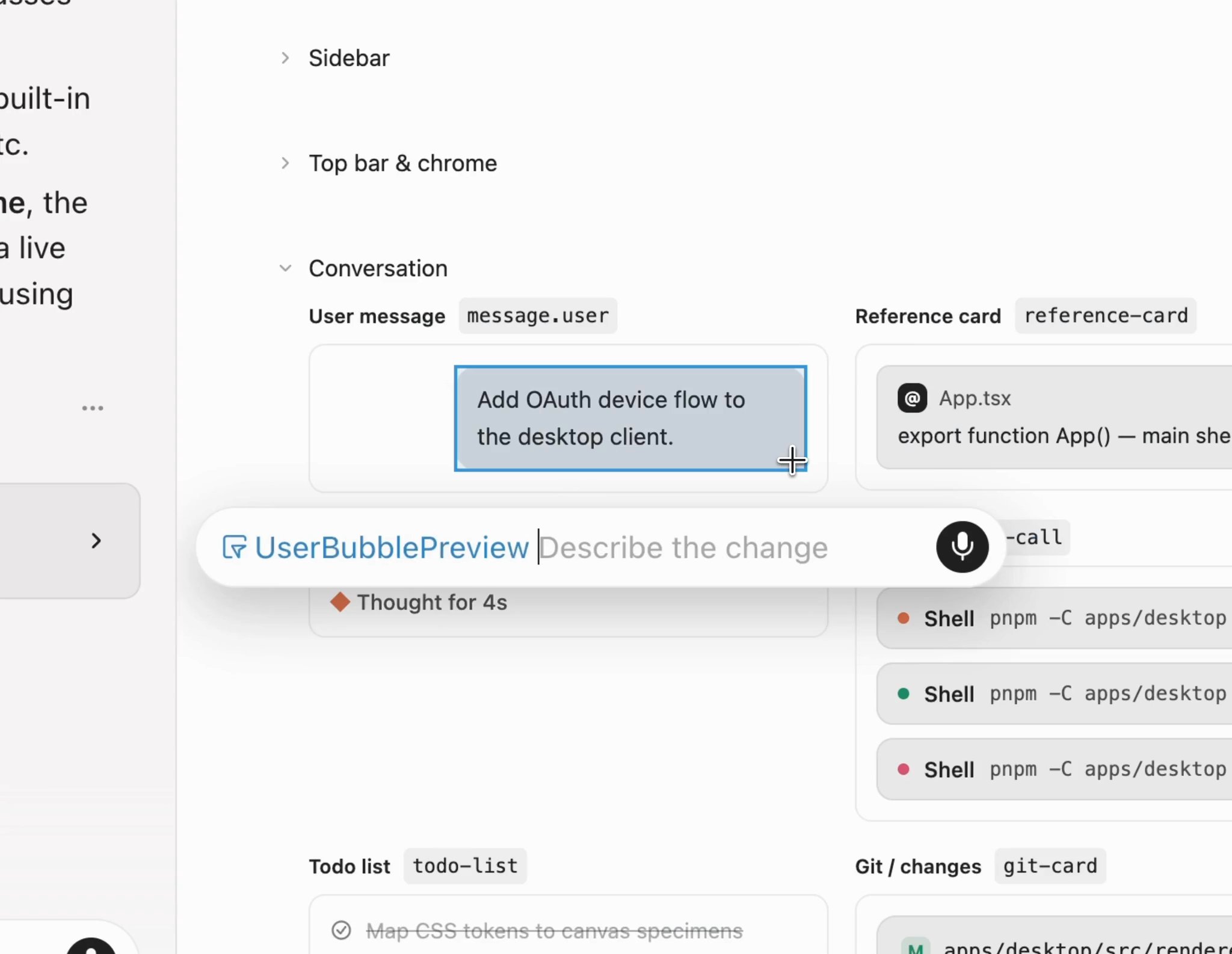
Design Mode is now available in canvases.
Select and annotate UI elements directly in a canvas to guide 4RGED's edits, just as you would in the browser. Instead of describing the change in text, you can point to it, provide feedback, and iterate more quickly.
Context usage report in canvas
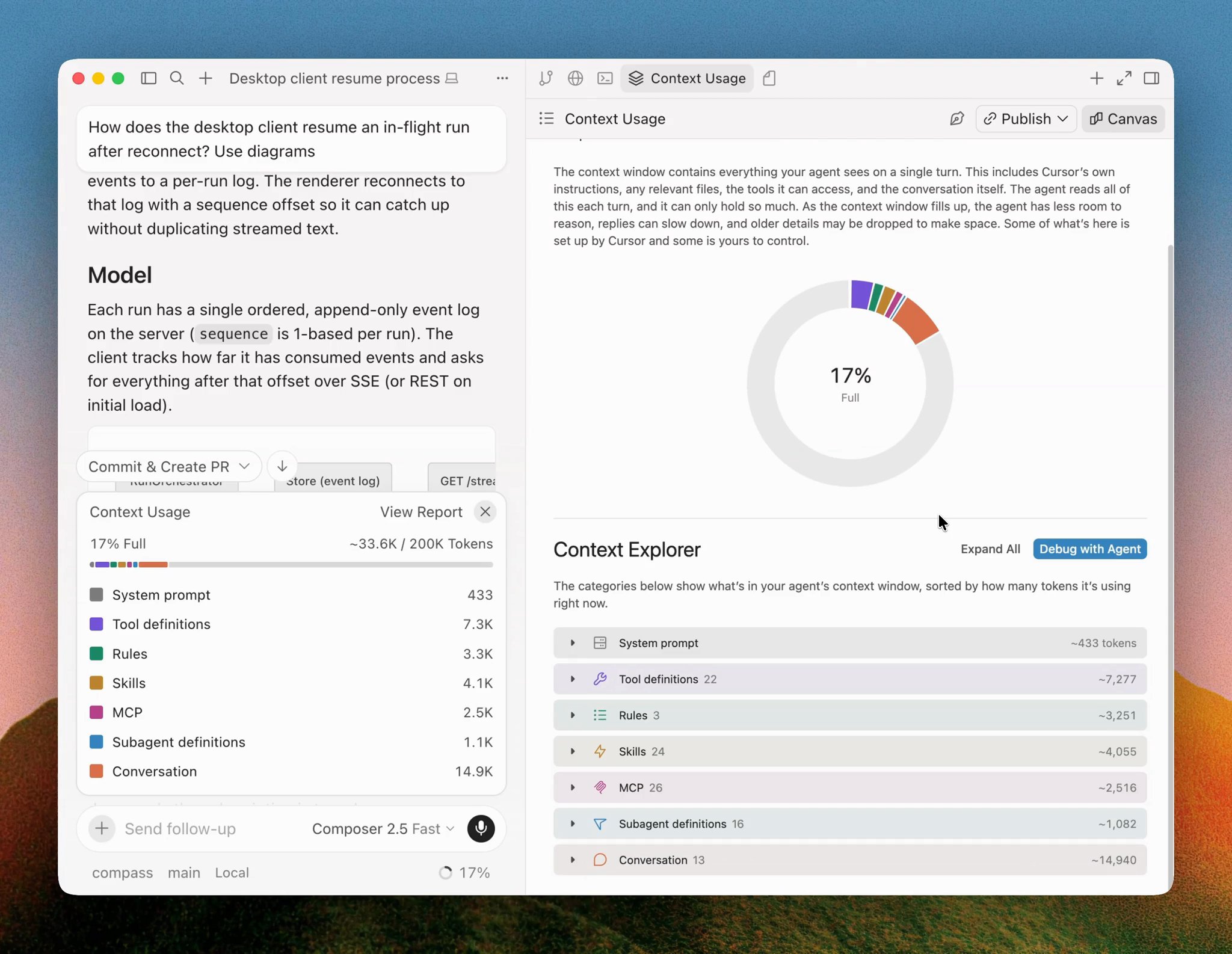
4RGED can now show your agent's context usage as an interactive report in a canvas.
The context explorer breaks down where tokens go across the system prompt, tool definitions, rules, skills, and more. Because it's a canvas, you can ask the agent follow-up questions, and it can customize the report to answer your specific questions.
Click the Debug with Agent button embedded in the canvas to ask 4RGED to identify opportunities to reduce context usage in a new conversation.
- Shared canvases can now be opened full-screen in the browser, making them easier to present to others.
- Added the ability for agents to embed buttons in canvases that will run a specific prompt when clicked.
- Improved the agent's ability to fix canvas type errors.
- Improved component styling, and added more chart customization functionality.